Interactive Displays
Interactive displays for schools and businesses: Hisense, Promethean or Samsung?
Compare Hisense, Promethean and Samsung interactive displays for schools and businesses. Find the right brand, range and size for each room.
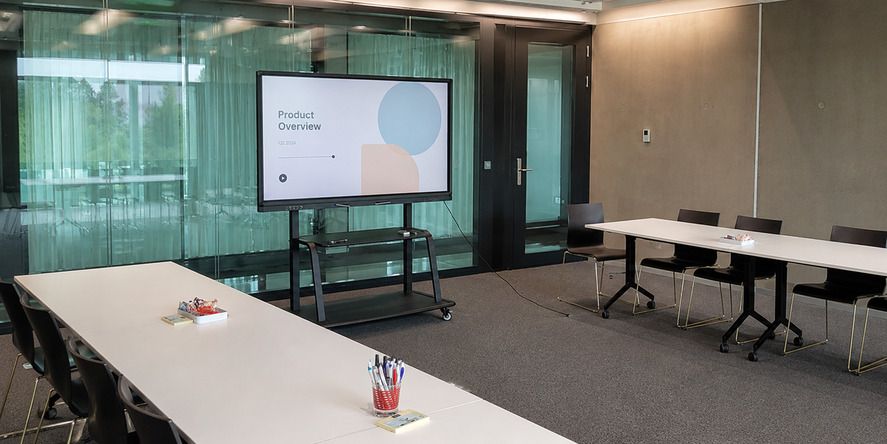
The short answer: there is no single right brand for every room
An interactive display for a school should be easy to use every day, robust, straightforward to manage and compatible with teachers' tools.
In a business, wireless sharing, video conferencing, integration with Microsoft Teams or Google Meet and the ability for anyone to walk into a room and start a meeting quickly may matter more.
That is why choosing on brand alone is a poor decision. Choosing on price alone is no better.
The useful question is different: which solution best fits the actual use case, technology ecosystem and available budget?
What to decide before comparing brands
Before requesting quotations, it is worth answering a few practical questions:
- Will the display be used mainly for presenting, writing, teaching or video conferencing?
- Does the organisation mainly use Google Workspace, Microsoft 365 or specific applications?
- Should the equipment work independently, or will it always be connected to a computer?
- Are an integrated camera, microphones and speakers required for hybrid meetings?
- Will the display be wall-mounted or placed on a mobile stand?
- How many rooms will be equipped, and who will manage updates, accounts and applications?
These answers can completely change the recommendation. A school equipping twenty classrooms may prioritise standardisation, ease of training and total cost. A boardroom may justify higher-grade audio, video and image quality in a single device.
Hisense: the balance we recommend most often
Hisense is currently the interactive display brand we supply most often at Pixly. The reason is practical: the GoBoard ranges combine a 4K display, touch writing, digital whiteboard, screen sharing, speakers and Android in a single device, while maintaining a highly competitive balance between quality and investment.
Current ranges include models with Google EDLA certification, access to Google apps and annotation and collaboration tools. Depending on the series, 65, 75 and 86-inch options are available, as are GoBoard Live and Live Pro versions designed for video conferencing with integrated cameras and microphones.
For schools and training centres, Hisense is particularly appealing when several rooms need a consistent experience without paying for a premium layer that may not be used in day-to-day work.
For businesses, a standard GoBoard may be enough for presentations, brainstorming and training. When a room regularly hosts hybrid meetings, it makes sense to consider a version with an integrated camera or combine the display with a dedicated video-conferencing solution.
This does not mean that all Hisense models are the same. Processor, memory, Android version, camera and warranty can vary between series. The exact model reference should be identified in the quotation — ‘75-inch Hisense interactive display’ is not a sufficient description.
Promethean: a premium option focused on the teaching experience
Promethean built its reputation in education and remains a benchmark when a project values not only the panel, but also the software ecosystem, writing experience, management and teacher adoption.
The ActivPanel 10 range offers a choice of sizes and can work with Android, Windows or Chrome through modules or connected devices. The ActivPanel 10 Premium adds a more sophisticated visual and tactile experience, purpose-built accessories and advanced collaboration and video-conferencing options.
Promethean makes most sense when a school or organisation wants to standardise a more complete teaching experience, train users and make ongoing use of its collaboration tools. If the aim is simply to present PowerPoint slides, browse the web and make occasional annotations, the additional investment may not deliver a return.
In businesses, the ActivPanel 10 Premium can also be a strong choice for rooms where collaboration, image quality and operating-system flexibility are priorities. It is a premium solution, but it should be purchased for the features that will actually be used, not simply for the brand name.
Samsung: familiarity, Google integration and hybrid rooms
Samsung has a strong presence in the professional market and offers interactive displays with a familiar interface, effective device integration and a well-established support network.
The WAF series was designed primarily for education, with Android, EDLA certification, access to Google services, annotation over content, split-screen viewing and sharing from multiple devices.
With the WAFX-P versions, Samsung clearly steps up for hybrid environments: they integrate a camera, microphones and audio, alongside a more recent Android system and AI-assisted writing and search features. This is an interesting option for meeting rooms, executive training and distance learning where reducing external equipment is a priority.
Even so, choosing Samsung does not automatically solve video conferencing. You still need to confirm compatibility with the chosen platform, the authentication method, account management and the experience of joining a meeting.
So, which brand makes sense in each scenario?
School or training centre with several rooms
Hisense GoBoard tends to be the first option we compare. It offers the essential features, makes it possible to standardise rooms and keeps investment under control. The selection should cover a current range, suitable certification and a clear installation and training plan.
Premium education project
Promethean ActivPanel is particularly strong when teaching, software and the writing experience are central to the project. The investment is easier to justify when there is a plan for teacher adoption and regular use of the tools.
General-purpose meeting or training room
Hisense remains a balanced choice. For presenting, annotating, sharing and working with a connected computer, there is no need to choose the most expensive solution.
Hybrid boardroom or management room
Samsung WAFX-P, Promethean ActivPanel 10 Premium and Hisense GoBoard Live Pro are all worth considering, depending on the collaboration ecosystem and required level of integration. Here, audio, camera, microphones and the ease of joining a meeting matter just as much as the display.
EDLA matters, but it does not solve everything
Google EDLA certification is increasingly relevant for Android interactive displays. It provides certified integration with Google services, access to the Play Store and a more familiar experience for organisations using Google Workspace or Google Classroom.
But EDLA does not automatically mean better image quality, a better writing experience or greater durability. It is a software and ecosystem criterion. It should be considered alongside the hardware, update policy, device management and support.
65, 75 or 86 inches?
Size should be chosen according to the room and the distance of the furthest viewer, not simply the available wall space.
- 65 inches: small rooms, meetings with only a few people and use close to the display.
- 75 inches: a balanced solution for many medium-sized classrooms, training rooms and meeting rooms.
- 86 inches: larger rooms, classes with longer viewing distances or spaces where documents and details need to remain legible from the back.
A display that is too small forces users to enlarge content and disadvantages those further away. A display that is too large and mounted too high can make writing uncomfortable. Installation height matters just as much as screen size.
The display is only one part of the solution
A well-prepared quotation should state clearly what is included: fixed or mobile stand, transport, mounting, cabling, network connection, initial configuration, an OPS computer where required, camera, training, warranty and support.
This is where two apparently similar quotations can be very different. A lower price may not include installation, configuration or the accessories required for the promised use case.
At Pixly, we prefer to start with the room and the objective. Only then do we finalise the brand, range, size and accessories.
Conclusion
For many schools, training centres and businesses, Hisense will be the most rational choice because of its balance of performance, simplicity and investment. That is why it has become the brand we supply most often.
Promethean becomes more compelling when a project requires a premium teaching experience and an ecosystem designed for sustained adoption. Samsung stands out for organisations that value brand familiarity, Google integration and more complete solutions for hybrid collaboration.
None of these brands should be chosen blindly. The best interactive display is one that people can use without friction, that integrates with existing tools and that remains right for the room after the initial excitement of installation has passed.